


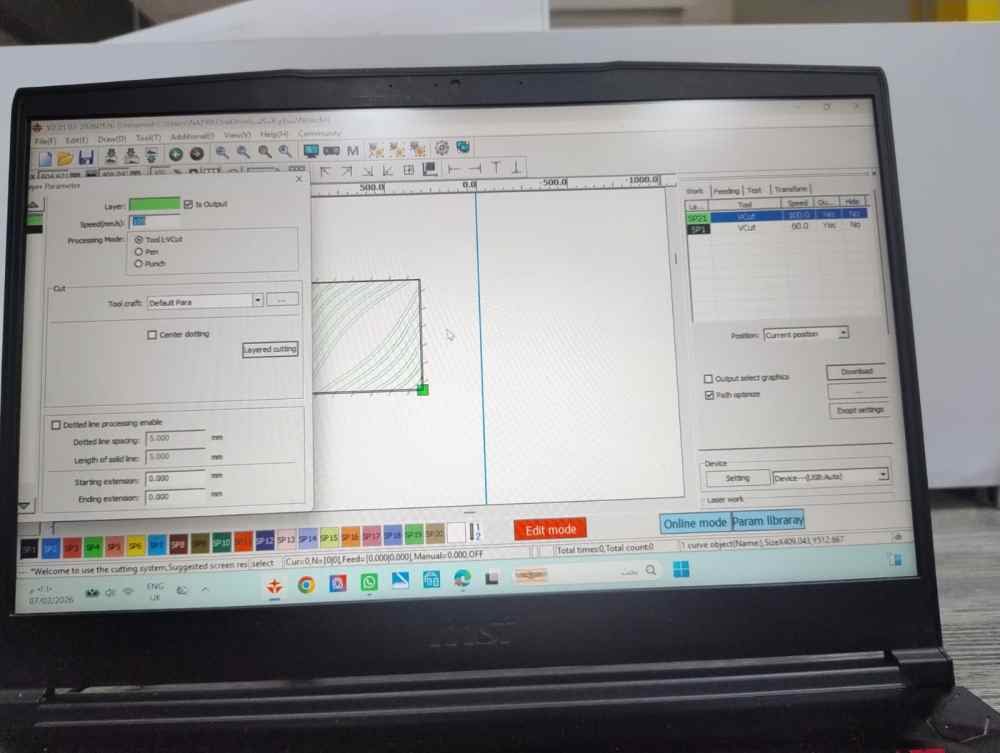


Hello, here are the replies to your three questions:
1. Set Grooving Tool Angle
Navigation path: Machining Parameter Library — Grooving Tool — Grooving Tool Angle
Parameter value selection: Choose +45 or -45 according to the actual mounting orientation of the grooving blade.
- Positive angle (+45): After the grooving tool resets, the cutting edge points to the positive X-axis, and the blade tip tilts toward the positive Y-axis; set the value to +45 in this case.
- Negative angle (-45): After the grooving tool resets, the cutting edge points to the positive X-axis, and the blade tip tilts toward the negative Y-axis; set the value to -45 in this case.
Special note: This parameter represents the physical mounting angle of the tool and cannot be automatically calculated by software. You must configure it based on the actual tilt direction of the blade.
Prerequisite: Before setting the [Grooving Tool Angle], you must complete calibration for the origin offset of the grooving tool’s rotary axis (Axis A), to guarantee the cutting edge faces the positive X-axis after tool reset. This is mandatory for the parameter to take effect.
2. Depth Control
Setup Procedures:
Setting interface: Lift & plunge coordinates can only be configured in the HMI Tool Settings page; its commissioning method is similar to the oscillating knife.
- Plunge coordinate: The coordinate position where the grooving tool tip reaches the deepest point inside the material. This value directly defines the V-cut depth.
- Lift coordinate: Set it above the material surface with a safe clearance to prevent the tool from scratching the material during idle travel.
For folding applications requiring a specific residual base thickness:
- Calculate residual thickness: Let T = total material thickness, R = required residual thickness at the bottom of the V-cut. The penetration depth of the tool tip equals T − R.
- Set plunge coordinate: Move the tool to the material surface (set as zero reference), then lower it by a distance of T − R, and save this position as [Plunge Coordinate].
- Set lift coordinate: Raise the tool above the material surface (e.g., +5mm), then save this position as [Lift Coordinate].
Depth consistency guarantee: Lay the material flat and ensure stable vacuum adsorption on the worktable. If the worktable surface is uneven, perform table calibration (collect table surface data) first and enable the table adaptive function. The controller will dynamically compensate the plunge position in real time according to machining paths to maintain uniform V-cut depth.
3. Simply select "VCut" mode
I can sort out and send you the instruction document for the V-grooving tool via your email. Could you please provide your email address?
1
回复