


Is your graphic closed? Also, if there are any duplicate lines or broken lines, please delete them.
0
Odpowiedz
I am using an RDC6555G controller with LSworks software on my cutting machine. I am getting abnormal lines during cutting. Any ideas on how to fix this? Thanks!
Czy możesz odpowiedzieć na to pytanie?
Napisz swoją odpowiedź, aby pomóc osobom z tym pytaniem.
Is your graphic closed? Also, if there are any duplicate lines or broken lines, please delete them.

You may refer to this analysis, and I hope it proves helpful.
Cause Analysis:
The image below shows regular deformation in cut circles. The possible causes are as follows:
① Errors in the machining data itself
② Incorrect parameter settings
③ Drive/motor abnormalities
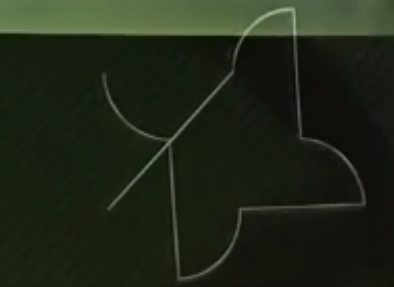
Step-by-Step Troubleshooting:
Use the software's simulation or processing preview function to check whether the graphic itself has any abnormalities.
Check the manufacturer parameters and user parameters for any issues.
Inspect the drive circuit connections and perform drive/motor movement tests (try jogging, frame tracing, etc.).
Findings:
Upon reviewing the user parameters, it was found that User Parameters → Machining → X/Y-axis backlash compensation was set excessively high. After resetting it to zero and reprocessing, the circular cuts returned to normal.
Summary:
The issue occurred because the user imported an unreasonable backlash compensation value during a program upgrade. This parameter should not be adjusted arbitrarily; in actual production environments, backlash compensation should be set based on real-world conditions. The default setting is zero.
Masz podobne pytanie, ale nie możesz znaleźć rozwiązania? Zadaj własne pytanie i uzyskaj pomoc od społeczności.

Copyright © 2021 Shenzhen Chanelink Network Technology Co., Ltd. All Rights Reserved.